Extracting audio from YouTube videos is not possible directly on the YouTube platform. To save audio tracks such as music, podcasts, lectures, or audio-only versions of your favorite YouTube videos, you need a dedicated conversion tool. MeowLoad lets users convert videos into MP3 or M4A files on Windows, macOS systems.
With this app, you can choose the audio quality and specify the download location to manage your files easily. Converting videos to MP3 or M4A is a quick process, helping you build a collection of offline audio for listening anytime and on any device. Follow the steps below to convert any YouTube video to MP3 or M4A.
Step 1. Launch the app
Launch MeowLoad. It's available for macOS and Windows.
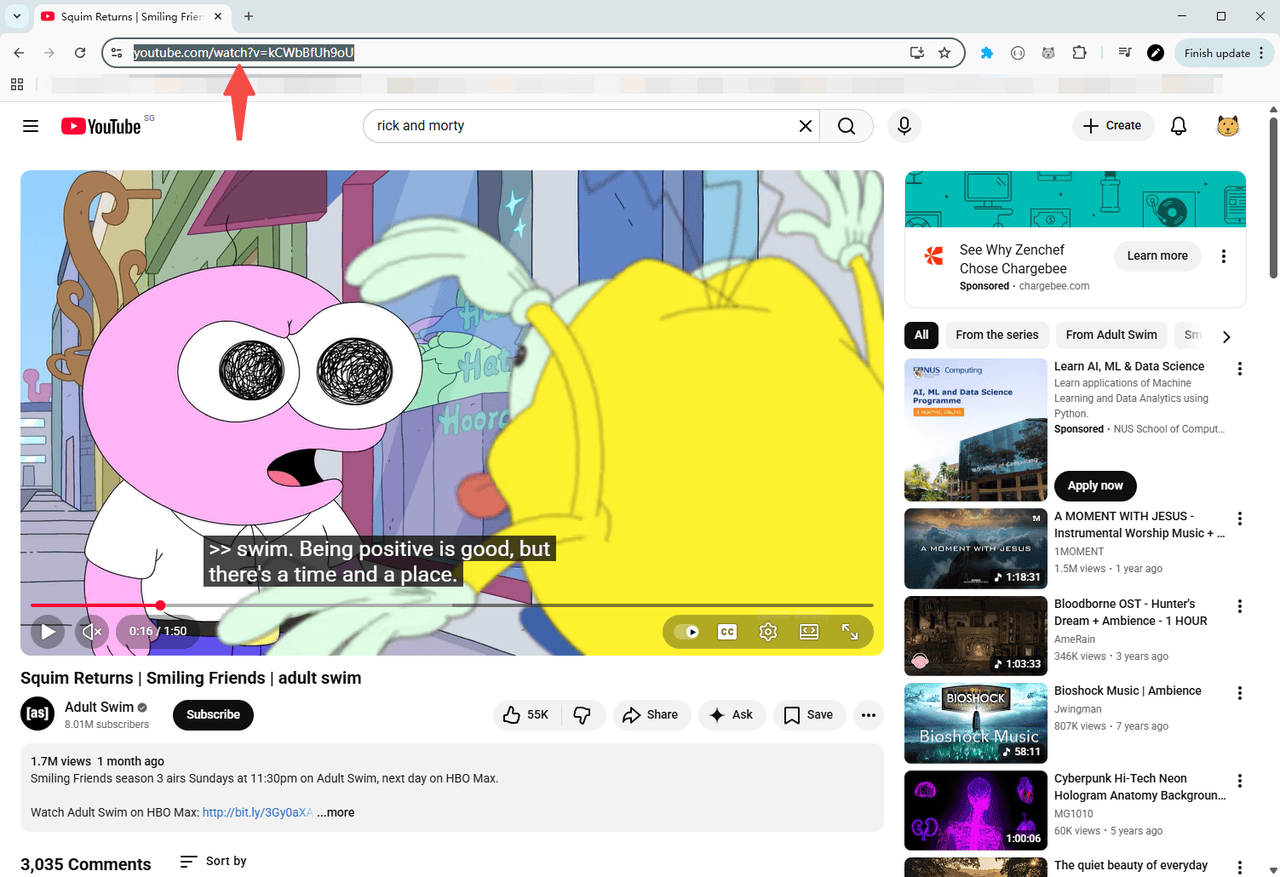
Step 2. Copy the video link
Copy the link to the YouTube video you want to convert.
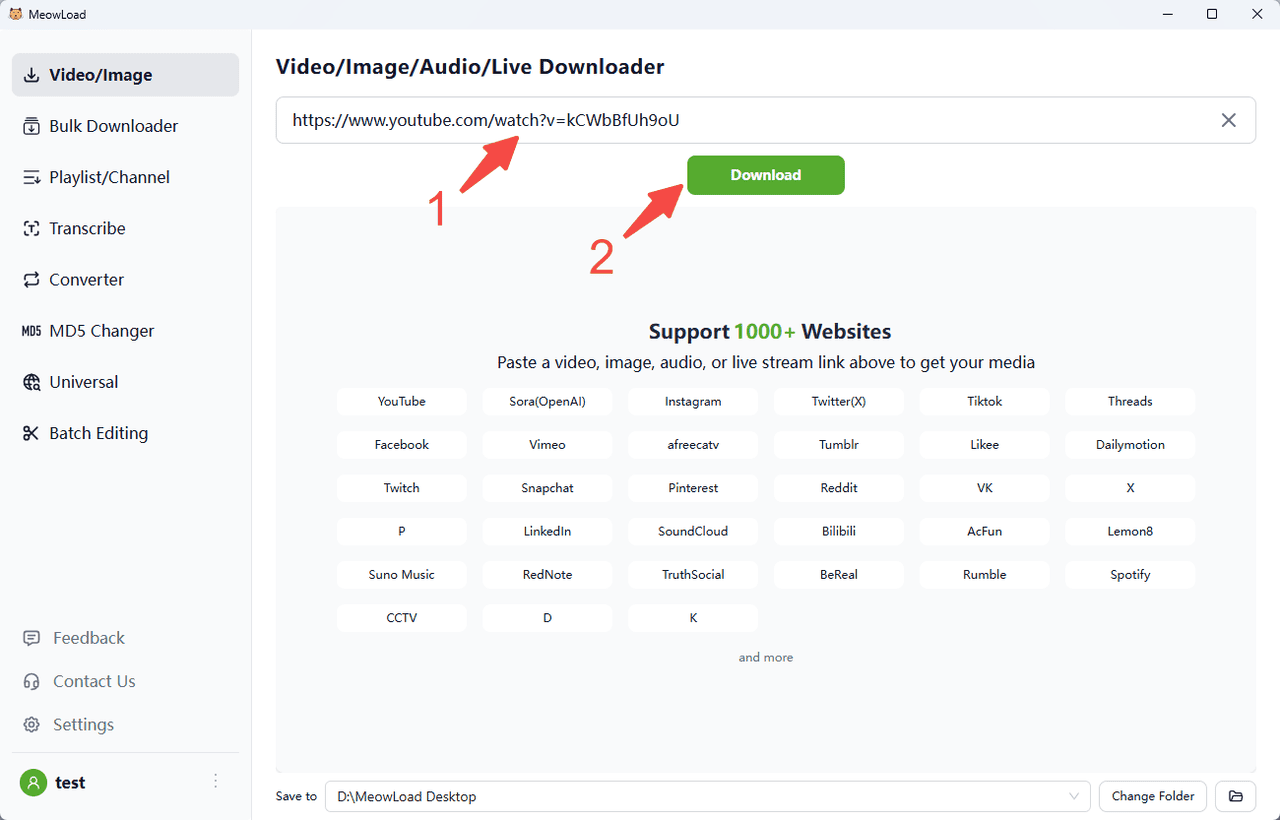
Step 3. Paste and parse
Paste the video link into MeowLoad, then click the Download button.
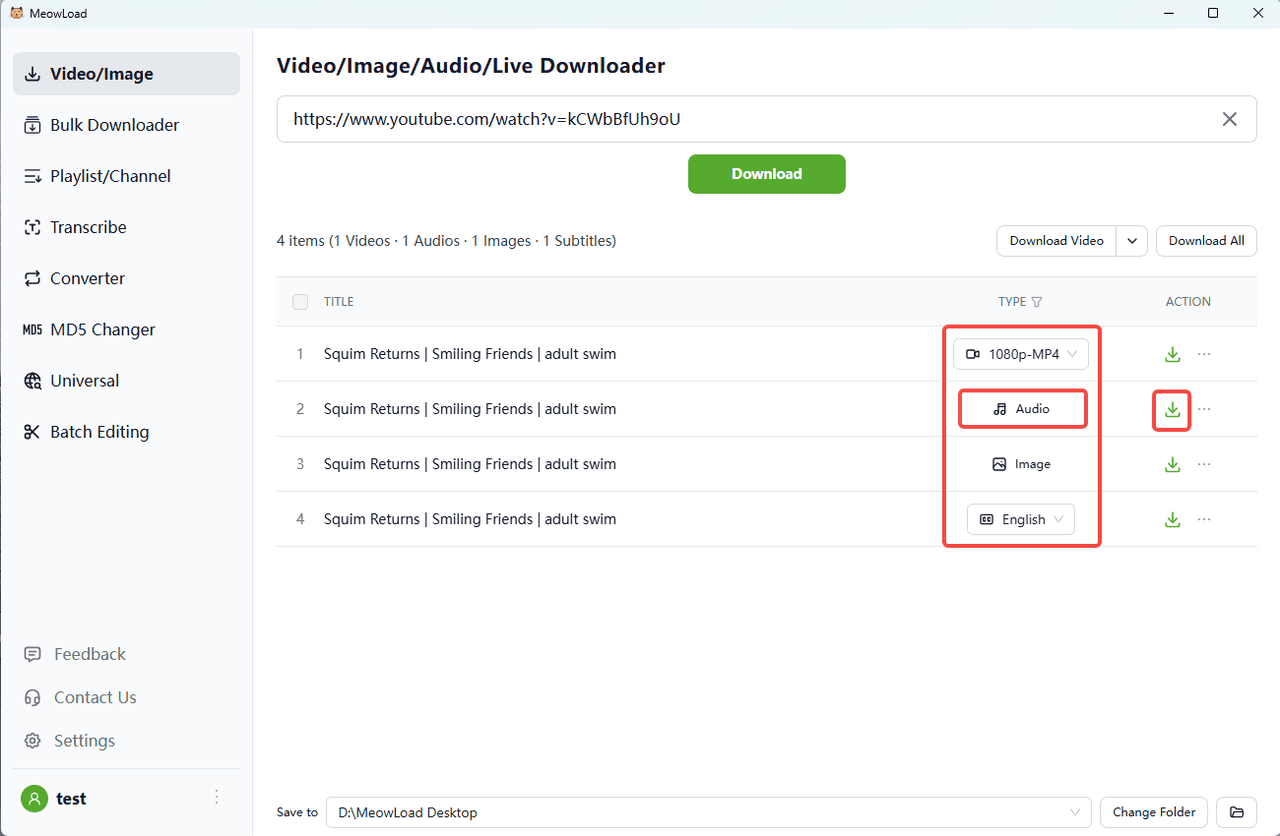
Step 4. Check the resources
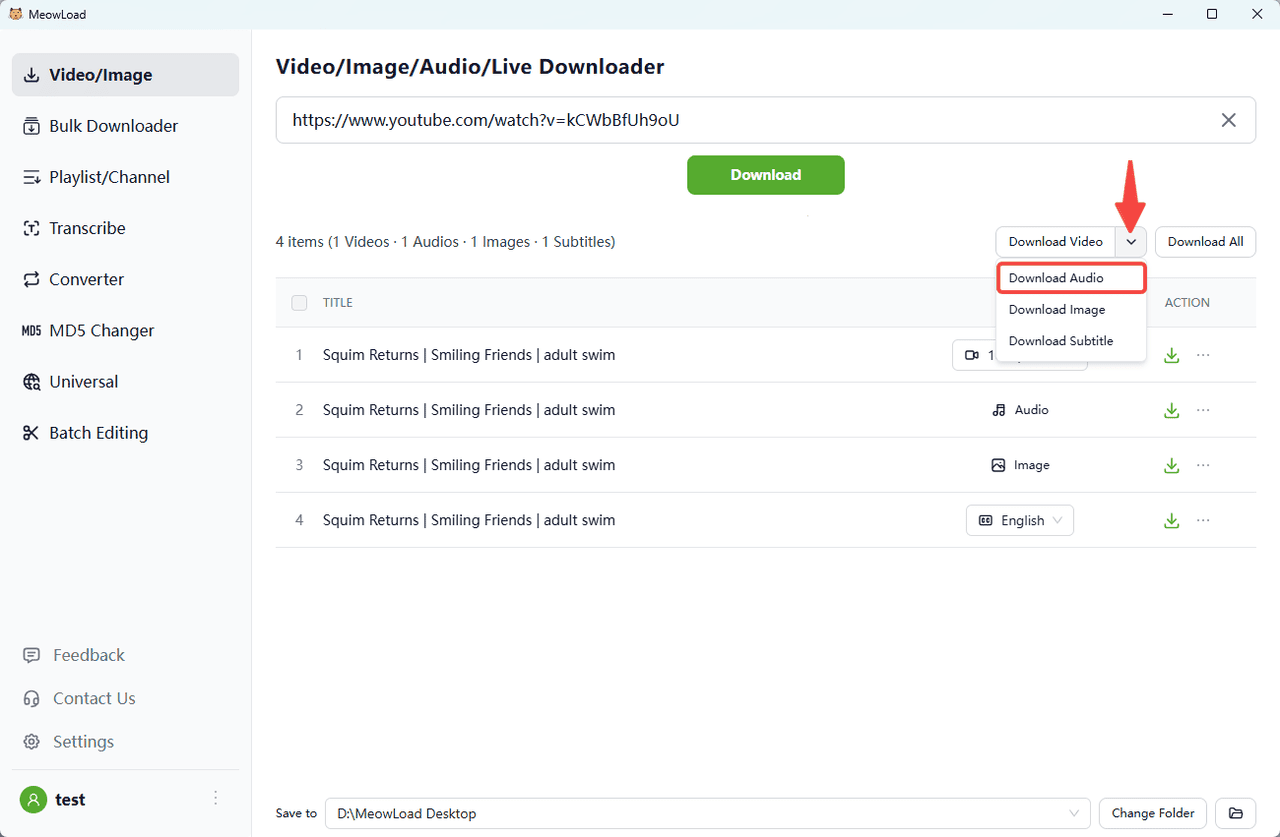
You can see that the downloadable files for this video include video, audio, images, and subtitles.
Step 5. Select the audio and download
Click the green download button to the right of the audio bar, or select Download Audio above. MeowLoad downloads audio files in MP3 or M4A format by default.
Step 6. All set !
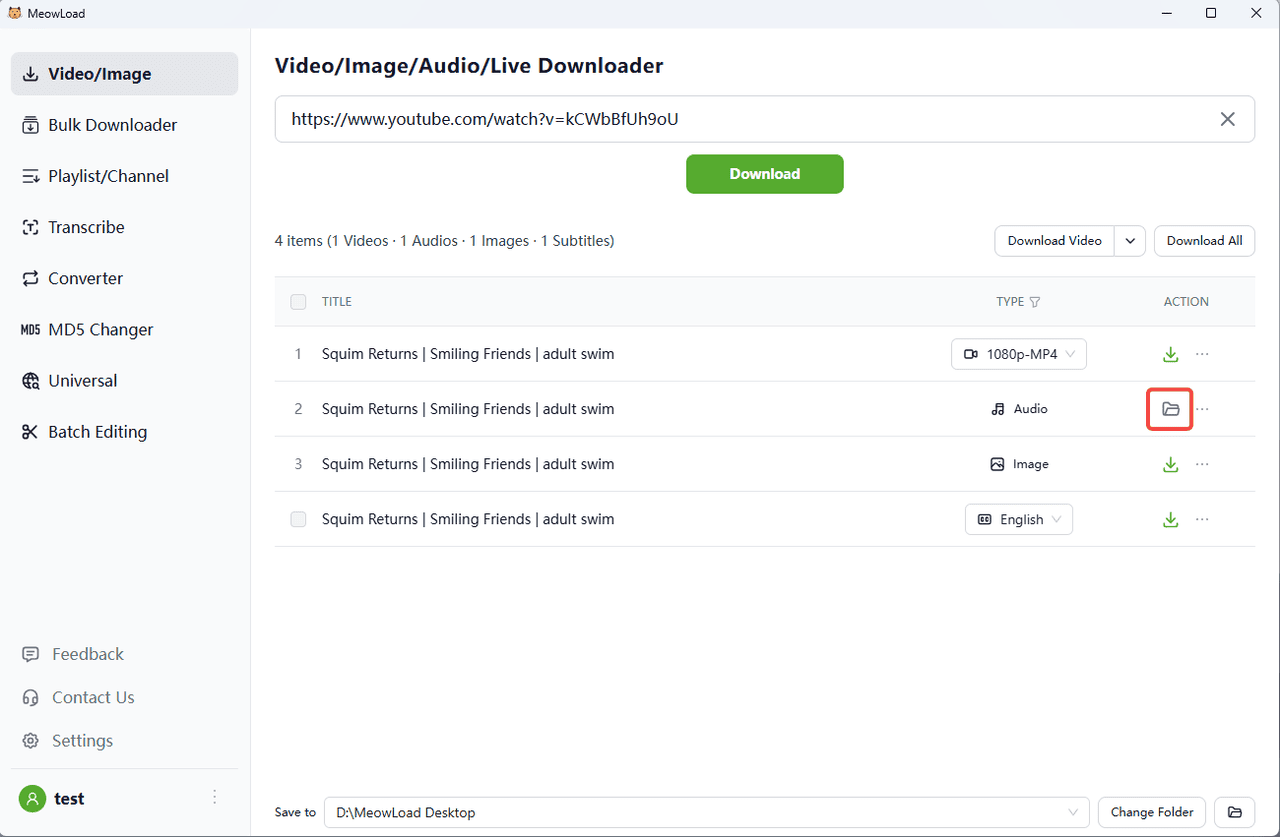
Once the download is complete, click the folder icon to check out your audio files.