Playlist/Channel Downloader
Supports bulk video, audio, and image extraction from YouTube (channels, Shorts, hashtags, playlists), Instagram (profiles, hashtags), TikTok (profiles, hashtags), Twitter (X), Weibo, Bilibili (profiles, collections), Facebook (public pages and profiles, Reels and photos), Telegram (public channels), and SoundCloud (artist profiles, playlists, albums).
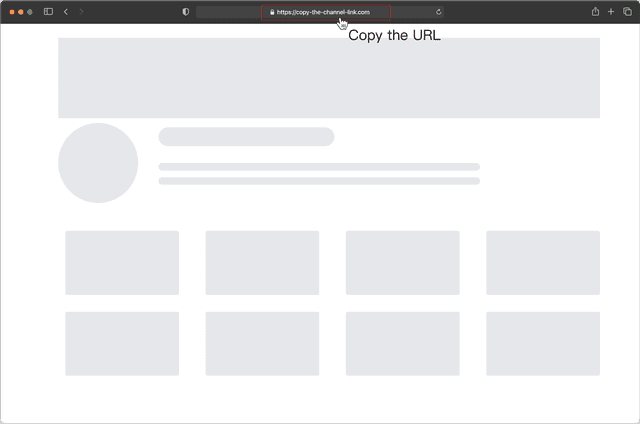
Copy the link of the channel or playlist you want to download
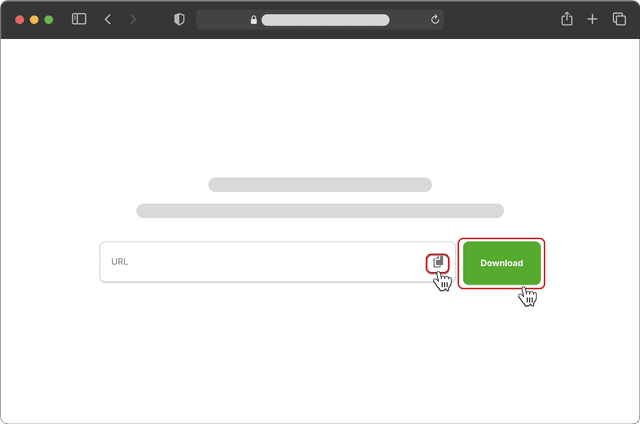
Paste the link into the box above and click “Download”
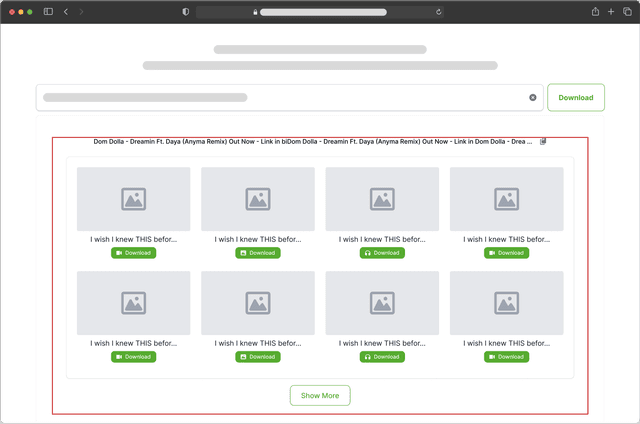
Select videos, images, or audio to download
- Copy the link of the channel or playlist you want to download
- Paste the link into the box above and click “Download”
- Select videos, images, or audio to download
Get the full power with the desktop app
Enjoy batch downloads, universal resource detection, and advanced bulk editing for audio and video.
Universal media downloader
Easily detect and download audio or video from any webpage using the built-in browser. Automatically scans content and supports bulk downloads with no extra steps.
Playlist & channel bulk downloads
Download entire playlists, channels, or hashtag collections from YouTube, Instagram, Twitter, TikTok, Bilibili, and more—all in one click.
Supports 1000+ websites
Download videos, images, and audio from over 1000 popular sites like YouTube, X, Instagram, TikTok, VKontakte, Facebook, Bilibili, and more.
Ultra-HD quality – up to 8K lossless
Automatically download the highest available resolution—8K, 4K, or 1080P. Ideal for professional editing, cinematic viewing, or any use where quality matters.
Convert video to audio
Quickly extract audio from URL or local videos with one click. Convert to MP3 or other formats for editing, reuse in media libraries, offline playback, and more.
Multi-link downloads
Paste up to 20 post links at once. Download all videos or images in a single click.
Frequently asked questions
We support YouTube (channels, Shorts, hashtags, playlists), Instagram (profiles, hashtags), TikTok (profiles, hashtags), Twitter (X), Weibo, and Bilibili (profiles, collections). You can also extract Reels and photos from public Facebook pages and profiles, content from public Telegram channels, and public audio from SoundCloud artist profiles, playlists, and albums. Paste the relevant link, then load more results to download the available videos, audio, and images.
- Paste the link and click the "Download" button. The system will automatically detect and display all available resources. If there are many items, click “Show More” to retrieve the full list in batches.
- To download a specific resource, click the "Download" button below it. If it redirects to a video page, you can either right-click the video and choose “Save Video As,” or right-click the download button and select "Save Target As" or "Save Link As."
Yes. Once you install the desktop client, you can use the one-click batch download feature to save all extracted resources efficiently.
This message may appear when clicking "Download" or "Show More," often due to network instability or temporary loading issues. Please make sure the link is valid and try again—most issues are resolved after a few attempts.